


EVERYDAY AUDIO · FOR PASSIVE SPEAKERS
IF-AMP03 Compact Bluetooth Amplifier
Compact stereo power for the passive bookshelf speakers you actually want to listen to.
Up to 2 × 50W stereo output, aptX Bluetooth, RCA, and coaxial input—built for desks, bedrooms, and smaller rooms.
- Up to 2 × 50W
- Stereo output
- aptX Bluetooth
- Version 4.0
- 3 inputs
- BT · RCA · Coaxial
Meta offer applied · Save $15.00 with AMP15
INFI Audio is our factory’s in-house brand. Sold and supported by Arden Audio.
- Made for passive bookshelf speakers
- Duties included · Air 6–12 business days · Transit damage covered
Returns & eligibility
For change-of-mind returns, contact us within 14 days of delivery. Items must be unused, uninstalled and undamaged, in original packaging with all accessories and documentation. Approval is required before return shipping.
You cover return shipping for change-of-mind returns. We have no US return warehouse; the authorized return address may be overseas. Verified defects, transit damage and incorrect items are handled separately.
Amplifier only — passive speakers required. Connect one pair of compatible passive speakers. Speakers and speaker cables are sold separately.
IF-AMP03 · PERFORMANCE
Can this small amp power 6.5″ speakers?
Meet the IF-AMP03. Up to 50W per channel in a compact metal body, with Bluetooth and hands-on bass and treble controls.
- Amplifier dimensions
- 166 × 138 × 31 mm
- Speakers shown · Impedance
- 6 Ω
- Speakers shown · Sensitivity
- 87 dB
SOURCE · IF-AMP03 · YOUR SPEAKERS
One compact hub. Three source options.
Stream over aptX Bluetooth or connect a wired source by RCA or coaxial, then drive one pair of passive speakers directly.
- Audio Source
- IF-AMP03
- Passive Speakers
STREAM MUSIC TO YOUR PASSIVE SPEAKERS

Speaker output only · Not for powered speakers

BIG SPEAKERS. SMALLER AMPLIFIER.
Keep your speakers. Reclaim your space.
Replace a bulky stereo amp with the compact AMP-03. Keep your passive speakers, free up space, and add Bluetooth streaming from your phone.
- Compact footprint
- Bluetooth streaming
- For passive speakers
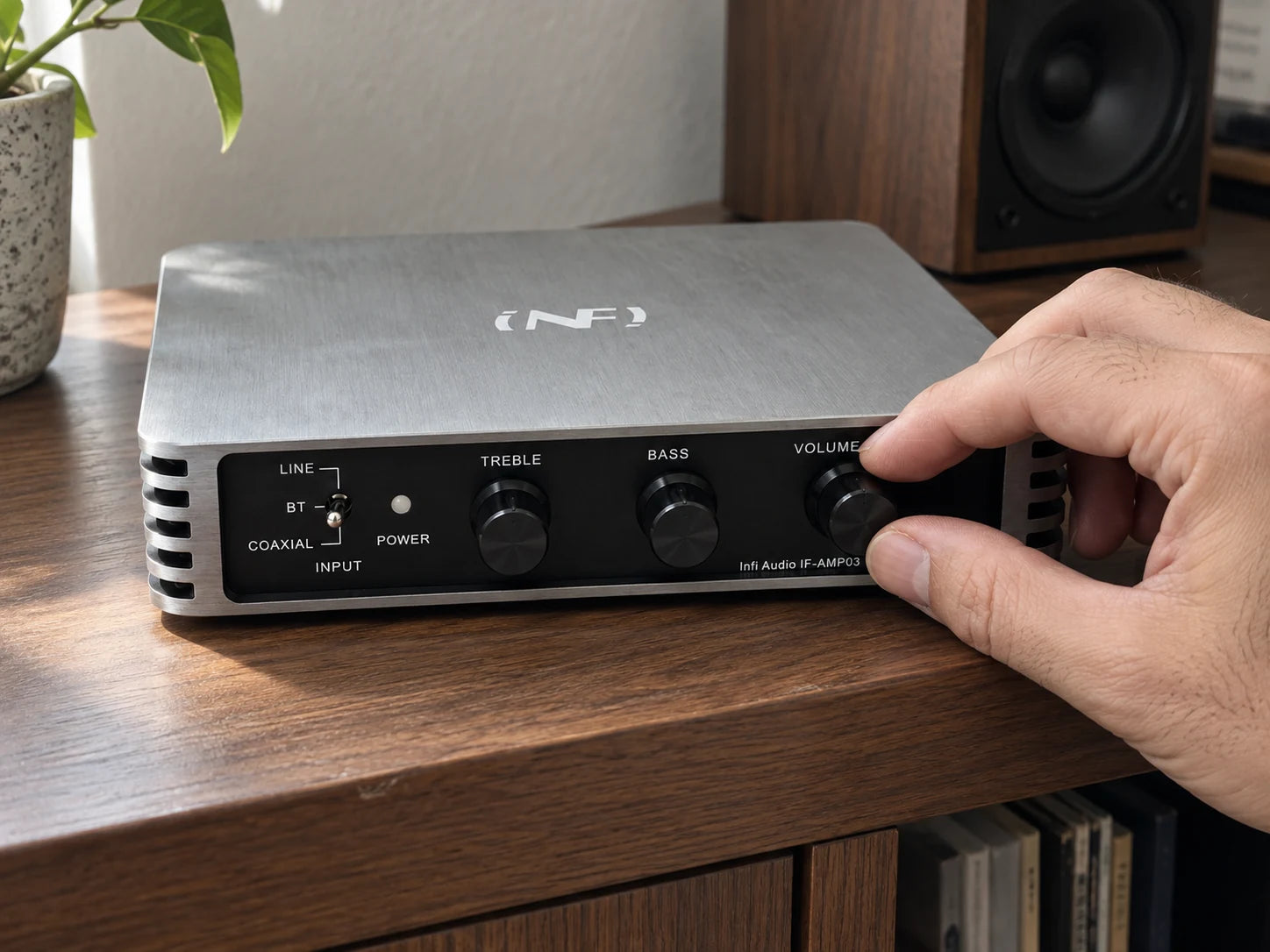
HANDS-ON CONTROL
Your sound. A simple turn.
Adjust bass and treble to suit your music, and set the volume with dedicated front-panel knobs.
- Bass
- Treble
- Volume
BLUETOOTH SETUP
Connect your speakers. Pair your phone.
- 1. Connect your speakers
- With the amplifier off and unplugged, connect one passive speaker to each L/R output. Match + and − at both ends.
- 2. Attach the antenna and power
- Attach the included Bluetooth antenna and connect the supplied power adapter to DC-IN.
- 3. Pair and play
- Turn the volume down, switch on the amplifier, and select BT. Choose AMP-03 in your phone’s Bluetooth settings, then play your music and adjust the volume.

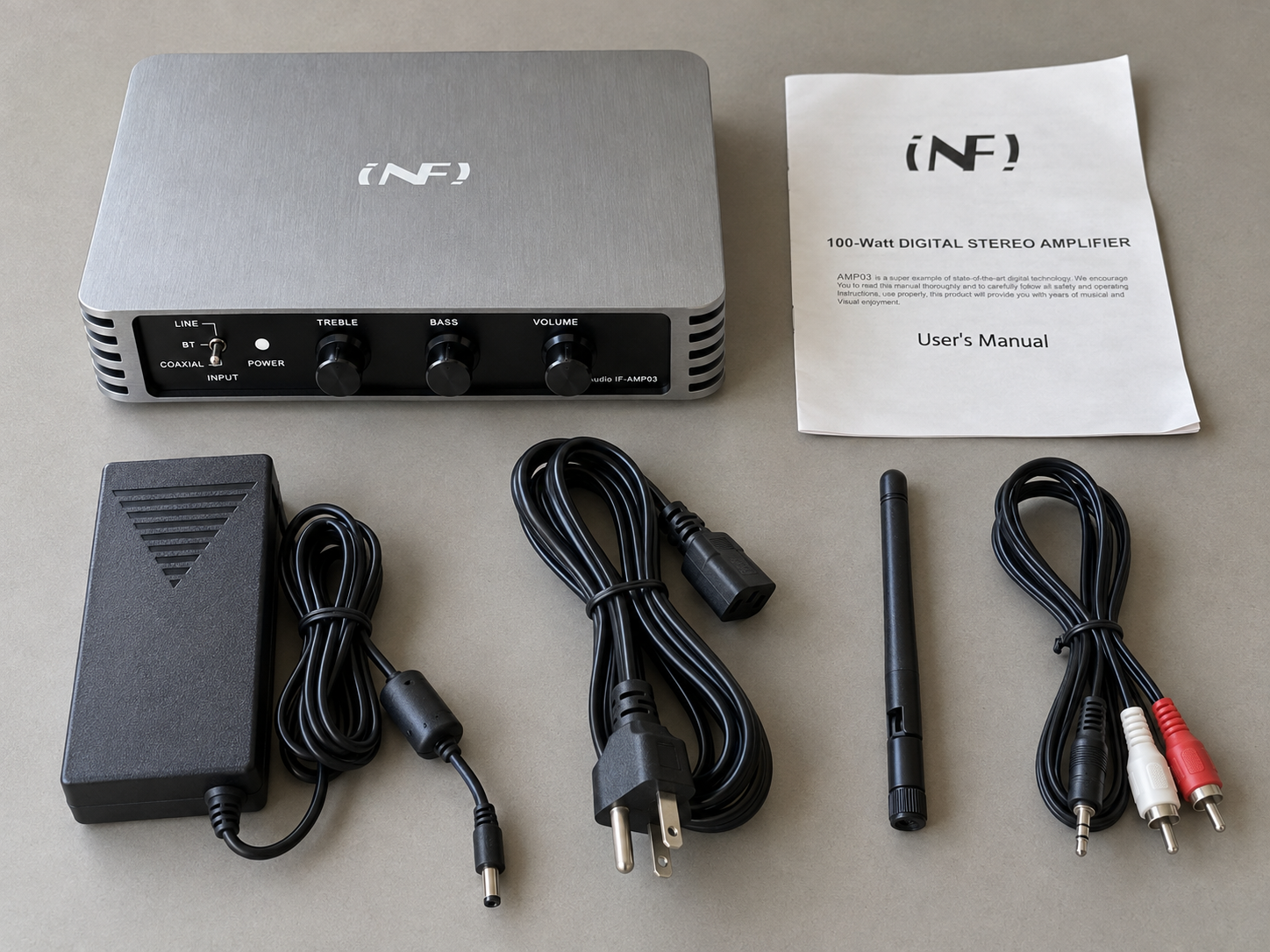
IN THE BOX
What Is Included
One 3.5mm-to-dual-RCA audio cable is included. Coaxial and speaker cables are not included.
- IF-AMP03 amplifier
- 18V 4A power adapter
- Power cord
- Bluetooth antenna
- 3.5mm-to-dual-RCA audio cable
- User manual
CONFIRMED INFORMATION
Technical Details
Product specifications, connections, and package contents for the IF-AMP03.
- Audio inputs
- Bluetooth 4.0 with aptX, stereo RCA, coaxial
- Output power
- Up to 2 × 50W stereo output
- Bluetooth
- Version 4.0 with aptX · external antenna
- Frequency response
- 22Hz–17kHz (manufacturer specification)
- Speaker impedance
- 4–16Ω passive speakers
- Amplifier DC input
- Use the included 18V DC, 4A power adapter
- Included power adapter
- AC input: 100–240V, 50/60Hz · DC output: 18V, 4A
- Dimensions
- 166 × 138 × 31 mm
SUPPORT · FAQ
FAQ
Learn how IF-AMP03 connects, what it includes, and how Arden Audio supports it.
What speakers can I connect?
Connect one pair of passive speakers with a nominal impedance of 4–16Ω. For the most straightforward match, 8Ω passive speakers are recommended. Do not connect multiple speakers in parallel unless their combined impedance has been properly confirmed.
How do I know whether my speakers are a good match?
Impedance establishes the electrical load, while sensitivity, listening distance, room size, and desired volume determine how loudly a system will play. Higher-sensitivity speakers generally produce more volume with the same amplifier power.
Can I use powered or active speakers?
No. The rear speaker terminals provide an amplified signal intended for passive speakers. Do not connect them to the AUX, RCA, XLR, or other line-level inputs of powered speakers.
Can I play music directly from my phone?
Yes. Attach the Bluetooth antenna, turn on the amplifier, move the INPUT selector to BT, and select “AMP-03” in your phone’s Bluetooth settings. Music playback, track selection, and source volume can then be controlled from your phone.
How do I connect a TV or music streamer?
Bluetooth: If your TV or music streamer supports Bluetooth audio output to speakers or headphones, select BT on the AMP03 and pair it from your device’s sound-output settings. Bluetooth input or remote-control support alone is not enough. Compatibility varies by model, and picture/sound delay may occur.
Wired: Connect a coaxial digital audio output to COAXIAL and select COAXIAL, or an RCA analog audio output to LINE-IN and select LINE. Check that the source sockets are outputs, not inputs. HDMI and optical ports cannot connect directly to the AMP03.
How do I connect a CD player or DAC?
Connect the red and white RCA audio outputs on your CD player or DAC to the matching LINE-IN sockets on the AMP03, then select LINE. If your CD player has a coaxial digital output, you can instead connect it to COAXIAL and select COAXIAL.
How do I connect a computer?
Pair a Bluetooth-enabled computer with AMP-03 and select BT on the amplifier. If the computer has a headphone output, use a 3.5mm-to-dual-RCA audio cable to connect it to LINE-IN and select LINE. You can also use the RCA output of an external DAC. USB audio does not connect directly to the AMP03.
Can I connect a turntable?
Yes, with a phono preamp. If your turntable has a built-in phono preamp, set its output to LINE and connect its RCA outputs to the AMP03 LINE-IN. Otherwise, connect the turntable to an external phono preamp first, then connect the preamp output to LINE-IN. Select LINE on the amplifier.
How do I connect the speakers and power?
With the amplifier switched off and unplugged, connect one passive speaker to the L speaker terminals and the other to R. Match positive (+) and negative (-) at both ends. Keep exposed wire strands from touching other terminals.
Connect the supplied 18V/4A adapter to DC-IN, then to mains power. Start with the volume low, switch on and select your source. Speakers and speaker cables are sold separately.
Will Bluetooth reconnect automatically?
The amplifier normally remembers and reconnects to the most recently paired device. If it does not reconnect, select “AMP-03” from your phone’s saved Bluetooth devices. If pairing still fails, forget the saved connection and pair it again.
What sources can I connect?
The IF-AMP03 supports Bluetooth, stereo RCA line input, and coaxial digital input. Select the desired source with the front INPUT switch. It does not include HDMI, optical, USB audio, or a dedicated phono input.
What do the Bass and Treble controls do?
The BASS and TREBLE controls adjust the low- and high-frequency balance in every input mode. Start with both controls near the center position, then make small adjustments for your speakers, room, and listening preference.
What is included in the box?
The box includes the IF-AMP03 amplifier, 18V 4A power adapter, power cord, Bluetooth antenna, 3.5mm-to-dual-RCA audio cable, and user manual. Coaxial cable, speaker cables, and speakers are not included.
What is INFI Audio, and how is it related to Arden Audio?
INFI Audio is an in-house audio brand of our manufacturing factory, not an unrelated third-party seller. The IF-AMP03 is produced by the same factory and offered directly through Arden Audio. Arden Audio handles the sale, customer support, and warranty for your purchase.
Who provides product support?
Arden Audio provides customer support and a one-year limited warranty from delivery for manufacturing defects under normal intended use. View warranty coverage and terms.